How to Build a School Management System in India: Features, Integrations & Development Guide
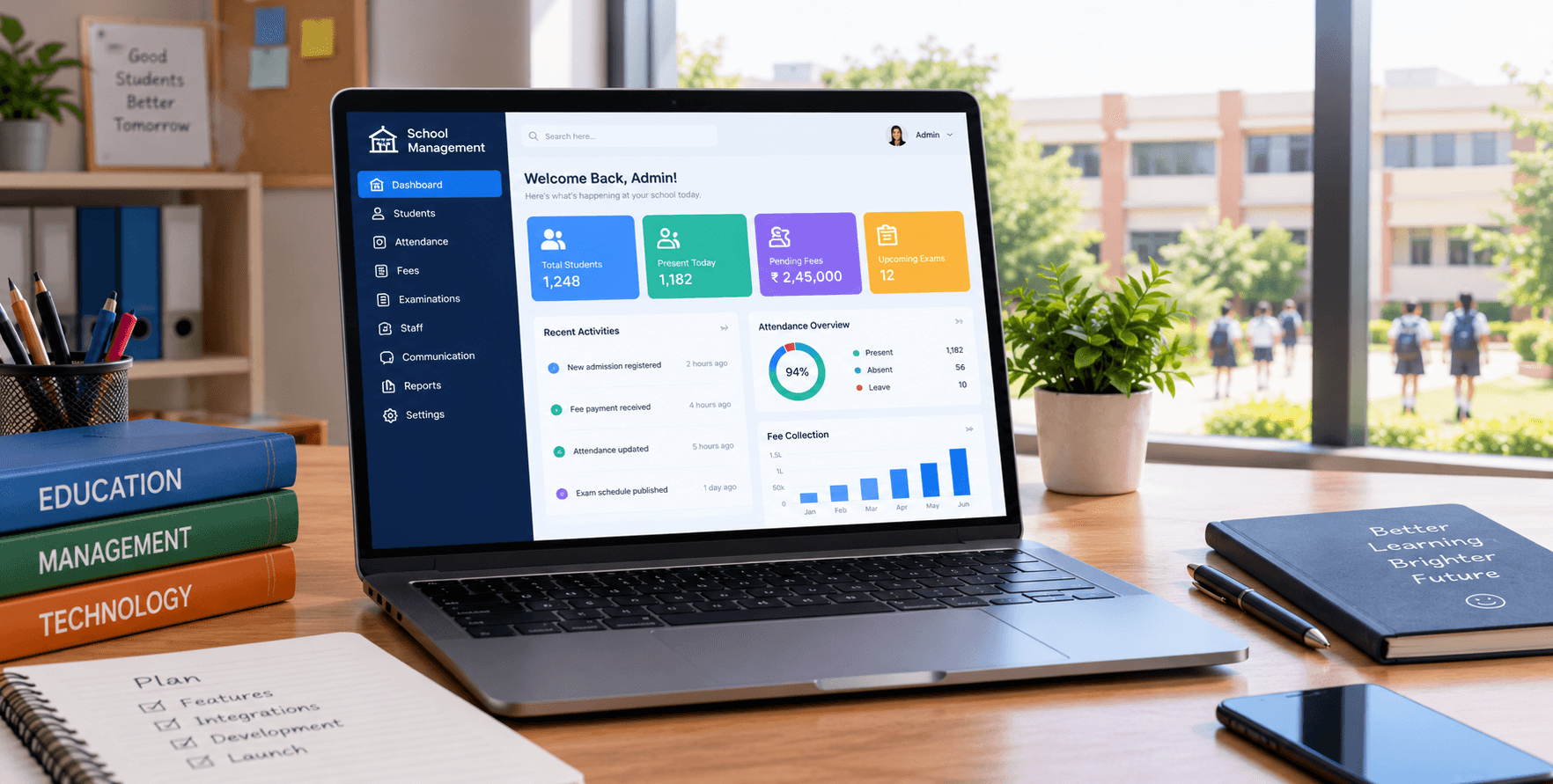
Schools handle a wide range of activities every day, from student admissions and attendance to fee records, examinations and communication with parents. When these processes operate through disconnected spreadsheets, paper registers and separate applications, maintaining accurate information can become challenging.
A school management system brings essential school operations into a central digital platform. For institutions with specific workflows, custom school management software can provide a more tailored approach than relying entirely on standard software packages.
This guide explains the key modules, development considerations and integrations to evaluate when planning a school management system in India.
What Is a School Management System?
A school management system is a software application designed to organise academic and administrative activities. It can help school administrators, teachers and authorised staff access information and complete routine tasks through a shared platform.
Depending on the institution's requirements, the system may include student records, attendance tracking, fee administration, examination management, staff information and parent communication.
The main objective is to reduce fragmented record-keeping and create a more consistent way to manage school information.
Key Modules to Include in School Management Software
The right modules depend on the school's size, existing processes and administrative priorities. A development plan should identify essential requirements before deciding which features to build.
1. Student Admission and Records
A student information module can manage admission applications, personal details, class allocation, guardian information and academic history.
Centralised records make it easier for authorised staff to retrieve information and maintain updated student profiles.
2. Attendance and Timetable Management
Digital attendance tools can help teachers record daily attendance while administrators monitor class-level and student-level reports.
Timetable functionality can organise subjects, teachers, classrooms and scheduled lessons. Schools should define their rules for substitutions, holidays and timetable changes during planning.
3. Fee and Payment Tracking
A fee administration module can record fee structures, payment entries, outstanding balances and receipts.
If online payments are required, the system may integrate with a suitable payment gateway. The development team should also consider transaction status updates, failed payments, refunds and reconciliation requirements.
4. Examination and Academic Records
Schools can use an academic module to manage examination schedules, marks entry, grades and report cards.
The system should reflect the institution's assessment rules and reporting formats. Requirements may differ depending on the board, class structure and examination process.
5. Parent, Teacher and Administrator Portals
Different users need different information. Teachers may need attendance and marks-entry tools, while parents may need access to announcements, homework and academic progress.
A role-based portal can provide each user with relevant features while restricting access to information they are not authorised to view.
6. Staff and Administrative Records
Depending on the school's needs, additional modules may cover staff profiles, leave requests, payroll, transport and document management.
It is often better to prioritise essential modules first and introduce additional functionality in planned stages rather than developing everything at once.
Custom School Management Software vs Ready-Made Solutions
Ready-made software may suit a school whose requirements closely match the features already available. It can also reduce the amount of initial development needed.
Custom school management software may be worth considering when an institution needs specialised approval workflows, unique reports, integration with existing systems or a particular administrative dashboard.
Before making a decision, schools should compare:
Feature fit: Does the software support the institution's actual processes?
Customisation: Can workflows and reports be adapted when needed?
Integration: Can the system connect with existing tools?
Data ownership: How can the school access and export its records?
Scalability: Can the platform support future growth?
Maintenance: Who will manage updates, backups and technical issues?
The best approach depends on the institution's requirements, budget and long-term plans.
Important Integrations to Consider
Integrations allow a school management system to exchange information with other applications. They should be selected according to real operational needs.
Payment gateway integration: Helps support digital fee payments and payment-status tracking.
SMS and email services: Can support announcements, reminders and other school communications, subject to the selected service.
Accounting software: May help reduce duplicate financial entries when compatible systems and workflows are available.
Mobile applications: Can provide convenient access to selected features for teachers, parents and administrators.
Data import and export: Helps schools migrate existing records and retrieve their information when required.
Each integration should be assessed for compatibility, security, ongoing charges and maintenance requirements.
Data Security and Privacy Considerations
A school management system may store student details, guardian contact information, attendance records and academic information. Protecting these records should be part of the development process from the beginning.
Important considerations include role-based access permissions, secure authentication, encrypted data transmission, regular backups and appropriate audit logs.
Schools should also establish clear procedures for granting and removing user access, handling data exports and responding to security incidents. Applicable data protection obligations should be reviewed before implementation.
Steps to Plan a School Management System
A structured development process can help reduce unnecessary complexity and make project requirements clearer.
Understand school workflows: Document how admissions, attendance, fees and examinations are currently managed.
Prioritise features: Separate essential launch requirements from features that can be added later.
Plan the user experience: Define how administrators, teachers and parents will use the system.
Design the architecture: Decide how data, permissions, integrations and reporting will work together.
Develop and test: Validate important workflows, access controls and data accuracy before launch.
Train users and maintain the system: Provide appropriate guidance, monitor issues and plan future updates.
The timeline and cost will depend on the number of modules, integrations, user roles, migration needs and testing requirements. A detailed scope should be prepared before estimating the project.
Custom Software Development for Education
Every educational institution has its own administrative procedures and technology requirements. A software development team can help translate those requirements into a practical application, from planning and interface design to implementation and ongoing maintenance.
Bhavya Enterprises provides software development and business software solutions. Explore Bhavya Enterprises' software solutions to learn more about its offerings.
Conclusion
Building a school management system involves more than combining attendance, fees and student records in one application. Schools also need to consider user permissions, integrations, data security, staff training and long-term maintenance.
Start by identifying the most time-consuming administrative tasks, defining the essential modules and evaluating whether ready-made or custom software is the better fit.
A clearly planned system can help schools organise their information, improve administrative workflows and create a foundation for future digital improvements.